Monday, April 22, 2013

Thursday, April 18, 2013
The "Get Productive" Guide For New iPod Owners
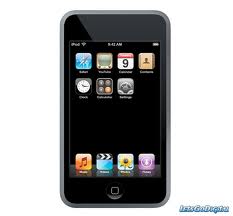
New iPod owners could find a sleek, sexy personal data assistant with their iPod. Read on below to learn how to sync contacts and calendars from your iPod to your computer, or use it to transfer soft files, of any format, to your computer, and read sticky notes.
* Add VIPs
All the stored information in your computer about the important people in your life that you know such as phone numbers, home addresses, email addresses, company name, birthdays, and other personal information, you can transfer it your new iPod.
If you're a Mac user, it is quite easy to sync your Address Book with your new iPod. If you're a Windows user, you can use Outlook Express or Microsoft outlook to sync your contact details in your new iPod.
* Sync Schedule
Scheduled for a meeting with the top bosses tomorrow? Or have a date with the lady of your dreams on Saturday? You can sync your alarms and schedules from Mac's iCal with your new iPod. For Microsoft Windows users, your new iPod can work with Microsoft Outlook to sync schedules.
* Take and Read Sticky Notes
You do not need those yellow sticky notes to write anything that pops up in your head (since they always get lost, anyway) like, what are your deadlines for the day and the coming week, your grocery lists, driving directions, etc. You can take all your sticky notes inside your new iPod and carry it with you all the time.
Your new iPod can hold a total of 4096 characters or (4kb in total) for each note. So, keep in mind to keep your notes briefly so won't run out of character lines if you sync it with your new iPod.
How can you sync sticky notes from your computer to your new iPod?
Here's how.
1. Open your notepad or any word-processing application that can save the file into .txt. Type a new note to create your grocery lists or those bulleted to-do's that you have been laying aside for a few weeks already. Or if you want to keep an important email message or want to put in your new iPod lyrics of the songs from your new iPod's playlist, just copy the text and then paste it in a notepad.
2. Save document in .txt file.
3. Connect your new iPod to your Mac or Microsoft Windows computer.
4. Since you're a new iPod user, you might have not set your iPod for disk use. But if you are a techie new iPod user and already did this, skip this step.
To new iPod users who have not set their new iPod for disk use, enable this feature by doing these:
1. Open your iTunes program from your computer and then open iTunes preferences. Mac users should click 'Preferences' from the iTunes menu, while Microsoft Windows users should choose the 'Edit' menu first before clicking 'Preferences').
2. Find the iPod tab, click it, and then a new pane will open. Click in the iPod pane the Music tab.
3. A Select the "Enable disk use" checkbox, then click OK.
5. Open your iPod volume that appears on your desktop (Mac) or in My Computer (Windows) to display three folders: Calendars, Contacts, and Notes.
6. Drag your text file to the Notes folder on your iPod to add it.
* Use the iPod as File Carrier
If you haven't already figured it out by now, you can use any iPod model as an external hard drive, allowing you to copy files onto it and shuttle items from one computer to another. This comes in handy if you need to work on projects at the office or school and at home, or you want to transfer your digital music collection from your old computer to a new one. Here's how to enable this feature.
Show me how:
1. Connect your iPod to your computer.
2. Open iTunes (if it isn't open already), then open iTunes preferences (Mac users, choose Preferences from the iTunes menu; Windows users, on the Edit menu, click Preferences).
3. Click the iPod tab, then click the Music tab in the iPod pane.
4. Select the "Enable disk use" checkbox, then click OK.
Your iPod should now appear as a mounted volume on your desktop (Mac) or in My Computer (Windows). To copy files for transport, simply drag any file onto the iPod volume icon, or double-click the volume, create a new folder (or folders), and copy items to it.
Thursday, January 31, 2013
The Apple Ipod and the Nano
 |
| iPod Nano |
1. The original ipod can hold about five thousand songs.
2. The original ipod can give the user up to forty gigabytes of harddrive space.
3. The original ipod comes with an easy to use wheel.
4. The original ipod also has a battery with a life that lasts up to about 12 hours.
5. The original ipod can also provide you with the ability to set-up a play list.
6. And last but not the least, the original ipod has a shuffle function.
Even with a minimum layout of the features of ipod, users have agreed that the original ipod gives one an exhilarating experience of music.
With basic ergonomics, the Apple ipod has captured the heart of millions of music lovers all over the world.
The Apple Ipod Nano
With the list of facts regarding the original ipod enumerated above, the characteristics of the new Apple ipod nano would reveal a measure of smaller comparison:
1. The Apple ipod nano can hold about one thousand 1,000 songs. That is with the 4 gigabytes version, the one with the full color album art.
2. Another version of the Apple ipod nano can hold about five hundred songs in a smaller four megabytes of space.
3. The Apple ipod nano has a medium sized Click Wheel and a full color screen. With the click Wheel, you can fast forward, rewind, pause, play or access the menus. The full color screen is about 1.5 inches of display.
4. The Apple ipod nano has a battery life that would last to about fourteen hours. Fourteen hours is about a day without charging.
5. The Apple ipod nano also has a shuffle function like the original ipod.
6. The Apple ipod nano is available to make use of the armband accessory. All that is needed is a USB external cord that would also charge the Apple ipod nano.
7. The Apple ipod nano has a skin that acts as a sort of protection for the ipod.
8. The Apple ipod nano also has the iTrip. The iTrip lets you play the music you want via any radio. This accessory is very much in demand when buying an Appled ipod nano.
9. The Apple ipod nano has about the following statistical measurement: 3.5 x 1.6 x 0.27 inches and about 1.5 ounces in weight.
10. The Apple ipod nano also boasts of a perfectly skip-free playback and works well on either a Mac OS X or a Windows 2000 or Windows XP.
11. The Apple ipod nano, just like any other Apple ipod can play music, podcasts and audiobooks.
12. The Apple ipod nano can also hold up to about twenty five thousand photos.
13. The Apple ipod nano can also be used to synchronize contacts and calendars and to do lists.
As you can observe from the available features, what you love about the original ipod, take all of it and try to shrink it a bit and you got the Apple ipod nano. Not yet a believer? Put on the headphones and try to volume up the music. Everything now becomes clear -- it is an ipod.
This pencil thin ipod packs into your ears the entire original ipod experience. What makes it unbelievable is despite its small frame, it can still hold a 3 days worth of music and can play for 14 hours straight.
Accessories of the Apple iPod nano includes a leather case, an in-ear Lanyard headphone, armbands, dock where the iPod takes its rest, a radio remote, a USB power adaptor, an AV connection kit and Tubes, the iPod skins.
Integration of the ipod Nano in Cars
Users can take the ipod music experience on the road by seamless integration of the ipod and the car. Top automakers like Audi, Chrysler, Dodge, Ferrari, BMW, Acura, Honda, Infiniti, Mercedez Benz and others have designed elegant solutions to both their new and prior year car models.
Top automakers call this strategy as part of their After-Market Solutions. They have available options to the car user of iPod integration products for use. Available options vary from iPod-ready head units to self installation options as wells as professional interface installation. People now can customize their ride with iPod music.
You can also opt to have iPod integration options from car stereo accessory stores and manufacturers available within your area. They can outfit any car to play well with the iPod nano.
Tuesday, June 5, 2012
What You Need to Know About Your iPod's Battery
iPod's battery life is an issue to most iPod users. Users say that an iPod battery degrades over time and is irreplaceable. Users' contention have certain bearing since (1) the iPod battery is lithium-based, its recharge cycles last roughly around 300 to 500 times and it really does degrade over time, and (2) apple's design of an iPod battery is done in such a way that users cannot easily replace the internal lithium ion battery with a new one.
So, many ask, are iPods made to be a disposable digital audio player.
The answer is no.
Apple designed iPods to last a long time. But since an iPod battery is lithium based, we cannot expect it to last longer than two years. 300 to 500 complete charges and discharges wears down the power of a lithium battery. Apple, nevertheless, published guidelines about iPod battery on its website and gave tips on how to maximize the life of an iPod battery.
An iPod battery cannot be removed or be replaced the way a user does with a digital celfone by just clicking the open button at the back of the unit to remove and replace the battery when it wears down. The iPod battery is integrated in the circuitry.
You will ask now, why did Apple engineered the iPod this way?
Apple integrated its iPod battery with the main circuitry to achieve the ultra thin and ultra sleek design that it boasts. If the iPod battery is removable, the iPods will be as bulky as regular digital celfones.
Previously, Apple does not accept replacement of a worn-out iPod battery. Under their official policy customer should buy a refurbished replacement worth as much as a brand new iPod.
Because of this situation, third-party manufacturers offered battery replacement kits, with instructions on how to disassemble, remove and replace the iPod battery and then reassemble your iPod.
It was only on November 14, 2003 that Apple had announced a cheaper battery replacement program. The battery replacement program which costs $99 had been trimmed down to $59.
Some tips to maximize your iPod battery's power.
Keep your iPod at room temp.
An iPod battery works at its best when the iPod is at room temperature, between 0° to 35° C (or 32° to 95° F).
If your iPod has stayed in the cold for many hours, let it warm up first before turning it on. Otherwise, a low-battery warning will appear and the iPod won't turn on unless you recharge it. But you wouldn't want to recharge it because it will deduct a recharge cycle to its 300 to 500 recharging cycle, right? So use it at room temperature and don't forget it! If after warming up your iPod remains asleep, do this: connect the iPod to the power adapter. Press the Menu + Play or Pause buttons. Do this repeatedly until the Apple logo appears.
* Do not leave your iPod inside a car, especially during at noontime.
* Do not expose your iPod to direct sunlight.
Extra tips
*When charging
An iPod battery can be fast-charged in an hour with eight percent (80) of its capacity. But it would be better if you charge it for four (4) hours fully recharge the iPod battery to 100%. This will save you discharge and recharge cycles by 20% for every recharging.
An iPod battery slowly empties even when the iPod unit is not in use. The iPod uses, even when asleep, a small wattage of current. So, store your iPod in room temperature to maximize the battery and slow down the draining of power. If you do this your iPod batter can last from 16 to 28 days.
Important!
* Empty the iPod battery fully before you recharge it.
* iPod skins and iPod covers look good on your iPod, but please do not charge your iPod while it is still dressed with iPod skin or cover.
When unattended, Press the Pause
Pause your iPod if you will leave it on a table to pee, or do anything else. iPod will continue to play if left playing until the iPod battery drains out. Always turn off your iPod when not in use to save battery life.
Backlighting
When the room is well lit, you do not need backlighting. Backlighting can use use up a lot of your reserved battery power. Turn off backlighting when you do not need it. Select: Settings > Backlight Timer > Off.
So, many ask, are iPods made to be a disposable digital audio player.
The answer is no.
Apple designed iPods to last a long time. But since an iPod battery is lithium based, we cannot expect it to last longer than two years. 300 to 500 complete charges and discharges wears down the power of a lithium battery. Apple, nevertheless, published guidelines about iPod battery on its website and gave tips on how to maximize the life of an iPod battery.
An iPod battery cannot be removed or be replaced the way a user does with a digital celfone by just clicking the open button at the back of the unit to remove and replace the battery when it wears down. The iPod battery is integrated in the circuitry.
You will ask now, why did Apple engineered the iPod this way?
Apple integrated its iPod battery with the main circuitry to achieve the ultra thin and ultra sleek design that it boasts. If the iPod battery is removable, the iPods will be as bulky as regular digital celfones.
Previously, Apple does not accept replacement of a worn-out iPod battery. Under their official policy customer should buy a refurbished replacement worth as much as a brand new iPod.
Because of this situation, third-party manufacturers offered battery replacement kits, with instructions on how to disassemble, remove and replace the iPod battery and then reassemble your iPod.
It was only on November 14, 2003 that Apple had announced a cheaper battery replacement program. The battery replacement program which costs $99 had been trimmed down to $59.
Some tips to maximize your iPod battery's power.
Keep your iPod at room temp.
An iPod battery works at its best when the iPod is at room temperature, between 0° to 35° C (or 32° to 95° F).
If your iPod has stayed in the cold for many hours, let it warm up first before turning it on. Otherwise, a low-battery warning will appear and the iPod won't turn on unless you recharge it. But you wouldn't want to recharge it because it will deduct a recharge cycle to its 300 to 500 recharging cycle, right? So use it at room temperature and don't forget it! If after warming up your iPod remains asleep, do this: connect the iPod to the power adapter. Press the Menu + Play or Pause buttons. Do this repeatedly until the Apple logo appears.
* Do not leave your iPod inside a car, especially during at noontime.
* Do not expose your iPod to direct sunlight.
Extra tips
*When charging
An iPod battery can be fast-charged in an hour with eight percent (80) of its capacity. But it would be better if you charge it for four (4) hours fully recharge the iPod battery to 100%. This will save you discharge and recharge cycles by 20% for every recharging.
An iPod battery slowly empties even when the iPod unit is not in use. The iPod uses, even when asleep, a small wattage of current. So, store your iPod in room temperature to maximize the battery and slow down the draining of power. If you do this your iPod batter can last from 16 to 28 days.
Important!
* Empty the iPod battery fully before you recharge it.
* iPod skins and iPod covers look good on your iPod, but please do not charge your iPod while it is still dressed with iPod skin or cover.
When unattended, Press the Pause
Pause your iPod if you will leave it on a table to pee, or do anything else. iPod will continue to play if left playing until the iPod battery drains out. Always turn off your iPod when not in use to save battery life.
Backlighting
When the room is well lit, you do not need backlighting. Backlighting can use use up a lot of your reserved battery power. Turn off backlighting when you do not need it. Select: Settings > Backlight Timer > Off.
Sunday, February 12, 2012
The iPod Ads
The iPod Ads Silhouetted Success

Apple has sold about 250 million tunes from its iTunes Music Store and 10 million iPods. With the release of updated iPod models, Apple has launched a new iPod ad campaign in different national and international magazines, billboards and in the Internet. The new set of iPod ad features a variety of vibrant colors and design schemes with a black silhouetted figure of a person dancing with or simply enjoying an iPod.
Cropped versions of these iPod ads can also be seen in updated Apple iPod web pages. The new style is very different and colorful compared to the usual simple, white advertising they are popular of in the past. The colorful and silhouetted iPod ad campaign of Apple makes the white iPod earphones very recognizable. An iPod ad is being run by 3 a mobile operator in the United Kingdom. It is the first ever 3G mobile video ad campaign for the Apple iPod.
The iPod ad runs for 14 seconds that features the ever famous silhouetted dancers from the brand's campaign concept. iPod ad has become very popular indeed that in the Simpsons episode entitled "Thank God, It's Doomsday," Homer Simpson noticed in the Gospel for Less shop this iPod type of ad. On the other hand, the copying of the idea has gone wild as Apple threatens to sue Music Channel Fuse over their new ad campaign that looks just like the iPod ad campaigns. Music Channel Fuse and its owner Cablevision's Rainbow Media are threatened by Apple's lawyers with a lawsuit unless the music channel stops the campaign.
Saturday, December 3, 2011
ipod nano
Great Accessories for Your iPod Nano

What Accessories Do You Need For Your iPod Nano?
Ipod nano accessories give the ipod nano a unique look. Ipod nano accessories aren’t all about looking good. Most of these accessories help in the ipod nano’s portability and also in the convenience of its use.
It comes with a leather case that is handcrafted from Italian leather. Touching it makes your fingers feel ticklish because of its extremely soft and very durable lining that makes up for its nice, fine, rich look. This ipod nano accessory secures your ipod nano like a baby snuggling in its crib. It has a ribbon case design, wherein you just have to pull at the ends of the ribbon and, voila! You’re ipod nano is in plain sight for you to manage and use again.
In-ear Lanyard earphones also accessorize the ipod nano. This accessory turns your ipod nano into a wearable music player. Not only that, but these earphones are also very artistic, a stunning piece of art indeed. These ipod nano accessories are unlike any other type of earphones, for these increase the clarity and the bass response of the song you are listening to.
Most earphones look unmanageable because of the cluttered look they portray, which is not offered by this ipod nano accessory. In-ear Lanyard earphones give an uncluttered look due to the fact that the audio cable is integrated with the Lanyard itself.
You do not have to worry about using your ipod nano while busy with something else. The armband is another ipod nano accessory that gives you easy access to the Click Wheel and also to the other controls an ipod nano has. This ipod nano accessory can also be used for fashion for it has a variety of hues and shades that you can choose from.
Monday, November 21, 2011
iPod Touch Games
Liven Up Your iPod With
Great Games


Many have branded ipods as the most entertaining thingamajig
in this generation, and they are, but not only because of the music it plays.
There are ipod games that can relieve you of your boredom. Ipod games are very
good and entertaining, which will be perfect for you, if you are the impatient
type of person. Ipod games certainly do wonders for your patience. But these
wonders do not limit to this justification. There are things that ipod games
can do that no other game can.
Once you start playing a certain ipod game, you get hooked
to it and you will not last a day without playing it. Most of the ipod games
are very addictive. Once you start playing an ipod game, it suddenly becomes
part of your system. Or rather, your system becomes a part of the game.
Ipod games have their own way of transporting you to another
world. This doesn’t necessarily pertain to anything cosmic, these ipod games
bring you to a different world; a world of fun and enjoyment, and sometimes,
for survival; fighting for your life. You run away from your own nightmares
(though it is very hard to understand how you can run away from your own
dreams, just think Freddie Krueger); you can be an amateur Sherlock Holmes and
crack a murder case.
Read More : Click Here!
Read More : Click Here!
Sunday, November 13, 2011
Apple iPod Mini
The Too Sexy Apple iPod Mini

By Dewisri The Apple ipod mini
 is compared to a US$ 1,200 purse from Chanel. This is because the US$ 249 Apple iPod mini, with its variety of five colors, brings out class and posh.
It measures about 2 inches in width, 3.6 inches in height, and only about half an inch in thickness. It does not look like it at first glance, but the Apple ipod mini is almost like a featherweight than the original Apple iPod. The Apple ipod mini also has no external moving parts. This Click Wheel is the one which incorporates the Apple iPod mini's other controls. The control's buttons are located on the pad itself. The Apple iPod mini behaves just like exactly as other newer generation Apple iPods. The original Apple iPods have a longer battery life.
A major difference observed between the original Apple iPod and the Apple iPod mini is the harddrive space capacity.
The Apple iPod mini
has a tiny Hitachi harddrive that can hold about four gigabytes of music. Music files include AAC, Audible, MP3, WAV and AIFF. This is enough storage for a number of Apple iPod mini users.
Apple iPod users usually prefer to carry an entire library of music any time of the day. Rather than manually selecting and transferring specific songs to the Apple iPod mini. The Apple iPod mini can only hold as much as a fraction of the forty gigabytes music collection.
The Apple iPod mini also has accessories that include the earbuds, a USB 2.0 cable and a FireWire dock connector, an AC adaptor, a belt clip, and the Apple iPod mini software.
The Apple iPod mini could have been more lenient by adding a dock or armband to teh package.
Read More : Click Here!
is compared to a US$ 1,200 purse from Chanel. This is because the US$ 249 Apple iPod mini, with its variety of five colors, brings out class and posh.
It measures about 2 inches in width, 3.6 inches in height, and only about half an inch in thickness. It does not look like it at first glance, but the Apple ipod mini is almost like a featherweight than the original Apple iPod. The Apple ipod mini also has no external moving parts. This Click Wheel is the one which incorporates the Apple iPod mini's other controls. The control's buttons are located on the pad itself. The Apple iPod mini behaves just like exactly as other newer generation Apple iPods. The original Apple iPods have a longer battery life.
A major difference observed between the original Apple iPod and the Apple iPod mini is the harddrive space capacity.
The Apple iPod mini
has a tiny Hitachi harddrive that can hold about four gigabytes of music. Music files include AAC, Audible, MP3, WAV and AIFF. This is enough storage for a number of Apple iPod mini users.
Apple iPod users usually prefer to carry an entire library of music any time of the day. Rather than manually selecting and transferring specific songs to the Apple iPod mini. The Apple iPod mini can only hold as much as a fraction of the forty gigabytes music collection.
The Apple iPod mini also has accessories that include the earbuds, a USB 2.0 cable and a FireWire dock connector, an AC adaptor, a belt clip, and the Apple iPod mini software.
The Apple iPod mini could have been more lenient by adding a dock or armband to teh package.
Read More : Click Here!
Thursday, November 10, 2011
The Pleasures Of Getting A Free iPod
The Pleasures Of Getting A Free iPod

By Dewisri We all know that an ipod is expensive.The ipod
 is simply an amazing and entertaining device. Nowadays, many people use this free ipod as a gimmick. They could attract many people for the promise of a free ipod. Most of the promos include a free ipod as one of their prizes. If you would only join, you would have the chance of winning a new and free ipod. I guess that they are including a free ipod as one of their prizes to invite more people to join the promo because almost every people want an ipod inside their pockets.
If you would be one the winners of the free ipod, you will definitely be excited about it. If you think about it, a device worth thousands will be yours for free, it is like a gift from heaven.
A promise of a free ipod can also be use for advertising. You can advertise a certain event of maybe a product given that if they but, they might win a free ipod. You would be surprise see that many people would be eating at your place because they want to have a chance on winning that free ipod. A free ipod brings wonders to your life. Even if people can’t afford it, they really still crave for it. In my opinion, a free ipod is attractive because it will bring you entertainment with comfort because it is portable and is easy to use. You can listen to music and watch videos with one click. This is like the extreme gadget for music lovers.
is simply an amazing and entertaining device. Nowadays, many people use this free ipod as a gimmick. They could attract many people for the promise of a free ipod. Most of the promos include a free ipod as one of their prizes. If you would only join, you would have the chance of winning a new and free ipod. I guess that they are including a free ipod as one of their prizes to invite more people to join the promo because almost every people want an ipod inside their pockets.
If you would be one the winners of the free ipod, you will definitely be excited about it. If you think about it, a device worth thousands will be yours for free, it is like a gift from heaven.
A promise of a free ipod can also be use for advertising. You can advertise a certain event of maybe a product given that if they but, they might win a free ipod. You would be surprise see that many people would be eating at your place because they want to have a chance on winning that free ipod. A free ipod brings wonders to your life. Even if people can’t afford it, they really still crave for it. In my opinion, a free ipod is attractive because it will bring you entertainment with comfort because it is portable and is easy to use. You can listen to music and watch videos with one click. This is like the extreme gadget for music lovers.Read More : Click Here!
Wednesday, November 2, 2011
Headphones
Two iPod Headphones
Clash

By Dewisri
For standard use, Apple iPod headphones seem to work fine. The
person sitting next to you wouldn't know that your iPod nano, iPod mini, iPod
video or iPod shuffle is actually on. Apple In-Ear iPod headphones,
aesthetically speaking, looks better than Shure E2c Sound Isolating iPodheadphones. Shure E2c Sound Isolating iPod headphones look like two sets of
mechanical bugs that are to buzz their way inside your ears.
Shure E2c Sound Isolating iPod headphones fits better than
Apple In-Ear headphones. Many users complain that Apple In-Ear iPod headphones
do not fit their ears and always slip even if you choose the right size for
you.
Shure E2c Sound Isolating iPod headphones come with a foam
or flex earpieces to ensure that the earpieces stays in place even if you move
around. Shure E2c Sound Isolating iPod headphones, however, seem not to have
the right fit for people with small ears.
Sound Quality
Shure E2c Sound Isolating iPod headphones produce high
quality sound. The sound quality of Apple In-Ear iPod headphones is
disappointing. It can isolate sound, true but the bass sound cracks, especially
the deep ones. Shure E2c Sound Isolating iPod headphones' performance is far
better than Apple In-Ear iPod headphones. If your purpose for buying an
isolating iPod headphones is to listen to iPod music with clearer lyrics, then
the Apple In-Ear iPod headphones fit you perfectly (or if you're a
transcriptionist or a student who listens and needs to understand the recorded
spoken words).
Tuesday, September 20, 2011
Ipod Battery
What You Need to Know
About Your iPod's Battery

Dewisri
iPod's battery life is an issue to most iPod users. Users say that an iPod battery degrades over
time and is irreplaceable. Apple, nevertheless, published guidelines about iPod battery
on its website and gave tips on how to maximize the life of an iPod battery.
on its website and gave tips on how to maximize the life of an iPod battery.
The iPod battery is integrated in the circuitry. If the iPod
battery is removable, the iPods will be as bulky as regular digital celfones. Previously,
Apple does not accept replacement of a worn-out iPod battery. Some tips to
maximize your iPod battery's power.Keep your iPod at room temp.An iPod battery
works at its best when the iPod is at room temperature, between 0° to 35° C (or
32° to 95° F).
Otherwise, a low-battery warning will appear and the iPod
won't turn on unless you recharge it. If after warming up your iPod remains
asleep, do this: connect the iPod to the power adapter. An iPod battery can be
fast-charged in an hour with eight percent (80) of its capacity. An iPod
battery slowly empties even when the iPod unit is not in use. * Empty the iPod
battery fully before you recharge it.
iPod skins and iPod covers look good on your iPod, but
please do not charge your iPod while it is still dressed with iPod skin or
cover.
iPod will continue to play if left playing until the iPod
battery drains out. Always turn off your iPod when not in use to save battery
life.
Read More :Click Here!
Monday, September 19, 2011
iPod Accessories
Jazz Up Your Player
With iPod Accessories

By Dewisri
The iPod is today’s coolest gadget. Let’s start with the
basics of ipod accessories: ipod skins. The first, second and third generation
ipods often has to content itself with the ipod accessories of cases in
leather, rubber, aluminum or fabric to protect the ipod from scratches, dust
and moisture. From water-resistant cases to sweat proof sleeves, these ipod
accessories define the meaning of portable.
The next basic ipod accessories you need are the headphones
or earphones. Other ipod accessories for headphones include the retractable
headphones, which is great to use on the outdoors. Aside from this basic
earpiece, external speakers and the carry case ipod accessories are quite
popular. The iBoom iPod player has a dock for your ipod player with speakers on
the side. More ipod accessories are available to the ipod junkie via the
Internet. Other ipod accessories that is a must have for any iPod warrior is
the Belkin Voice Recorder that lets you record reminders, meeting and notes
into your iPod. Then there’s the hands free accessory called the iPod remote
and earphones. For the car lovers, ipod accessories have been created to
accommodate your music players. Your ipod can now play your music through the
FM radio of your car. All it needs is the iPod dock connector to work. You can
really personalize your iPod in more ways than one. These ipod accessories not
only enhance your iPod but it is also the number one status symbol for any true
iPod lover.
Sunday, September 18, 2011
iPod Shuffle
Get Raw With iPod Shuffle

By Dewisri
Ever since the release of iPod shuffle, there has been much
confusion as to the merits of this ipod series. The iPod shuffle is Apple’s
smallest, easiest and most affordable audio player of the ipod series. Those
consumers are the primary targets of the iPod shuffle. Aside form the lack of
LCD display; iPod shuffle only has three simple toggle switches on the back for
the power switch, continuous play and shuffle mode. The iPod shuffle shows a
steady green LED when it is fully charged. Now it’s not an iPod without the
kind of click-wheel controller, and the iPod shuffle gives that to ipod fans as
well. For the iPod shuffle to communicate with your computer, there is a USB
connector on the tip of the iPod shuffle. Having the connector built in the
iPod shuffle has its pros and cons. In come the accessories especially made to
resolve the iPod shuffle’s limitations: the iPod USB Power Adapter, the
External Battery Pack and the iPod shuffle Dock. The iPod shuffle is as good as
any of the iPod models.

Friday, September 16, 2011
New iPod
The "Get Productive" Guide For New iPod Owners
(GUIDE TO THE MAXIMUM IPOD EXPERIENCE)
New iPod owners could find a sleek, sexy personal data
assistant with their iPod. If you're a Mac user, it is quite easy to sync your
Address Book with your new iPod. * Sync Schedule
For Microsoft Windows users, your new iPod can work with
Microsoft Outlook to sync schedules.

* Take and Read Sticky Notes
How can you sync sticky notes from your computer to your new
iPod?
3. Connect your new iPod to your Mac or Microsoft Windows
computer.
4. Since you're a new iPod user, you might have not set your
iPod for disk use. To new iPod users who have not set their new iPod for disk
use, enable this feature by doing these:
Click in the iPod pane the Music tab.
6. Drag your text file to the Notes folder on your iPod to
add it.
* Use the iPod as File Carrier
1. Connect your iPod to your computer.
2. Open iTunes (if it isn't open already), then open iTunes
preferences (Mac users, choose Preferences from the iTunes menu; Windows users,
on the Edit menu, click Preferences).
3. Click the iPod tab, then click the Music tab in the iPod
pane.
Sunday, September 11, 2011
Cheap-iPods
Cheap iPod Anyone?

By Dewisri
No one would notice that your iPod nano, iPod video, iPod mini or iPod shuffle was bought from a cheap iPod refurbished e-store. No one would try to look for your receipt just to know you bought your iPod nano, iPod video, iPod mini or iPod shuffle from an Apple store and not from a cheap iPod store, or would they?
Also, if you bought a new iPod from an Apple iPod store and
then the time came that you needed an iPod battery replacement, you will need
to pay Apple iPod store 59 bucks for a refurbished iPod nano, iPod video, iPod
mini or iPod shuffle, only this time, with a fresh iPod battery.
cheap iPod nano, iPod video, iPod mini or iPod shuffle costs
for about $190 to $250 from the cheap iPod or refurbished iPod e-stores.
There is a chance that you might get a cheap iPod for a
brand new iPod nano, iPod video, iPod mini or iPod shuffle.
BUY YOUR FRIEND'S USED IPOD
Read More : Click Here!
DVD to Ipod
The advent of DVD to iPod Technology

Why DVD ?
The Features of Apple iPod
The Apple ipod users can store and record about five
thousand songs.
The Apple ipod users can easily manuever their way with
the iPod controls because of the Click Wheel.
A feature, however, that was missed by iPod is the DVD to
iPod software.
The iPod Media Studio 2.0
iPod Hacks
For sometime, Apple techies and fanatics have introduced
many modifications to the Apple iPod. What are iPod hacks?
iPod hacks are either softwares or hardwares that improves
the appearance, capabilities or features of an Apple iPod. Summing it up, iPod
Hacks is anything that provides modifications to the Apple iPod. One such
avaialable iPod hack is a software that provides DVD to iPod capability to the
usual Apple iPod. DVD to iPod Software
The iPOdMedia provides DVD to iPod capabilities to the Apple
iPod. It is the fastest software available for DVD to Ipod transfers or to move
DVD's directly into your video Apple iPod. By using this DVD to iPod software,
you can enjoy watching DVD movies on the beautiful 2.5 inches LCD monitor of
the Apple iPod. Apple iPod users can store up to 100 video hours (if the Apple
iPod is a 60 Gb model) or 50 video hours (if the Apple iPod is a 30 Gb model).
Friday, September 9, 2011
iPod Movies
Now Showing On Your iPod: Movies

The fifth generation ipod created the buzz since its
release. Many users have enjoyed television shows, movies and music videos
played on their beloved iPod video. iPod movies are now the latest trend among
iPod fanatics.
How do you add a movie to become a part of your iPod movies?
The first step is to choose what movie you want to put in your iPod movies. It
is highly recommended that users download their iPod movies through the Apple
iTunes Music Store. Secondly, you can be sure of the quality of your iPod
movies.
If you still want to rip an existing DVD movie on to your
iPod video, start by downloading software available on the web but be careful! Choose
only those that support the iPod video format. The iPod video converter should
be able to integrate with all video/audio encoders/codecs. You now have an
addition to your iPod movies.
Will the users be made liable for home videos or ripped DVDs
downloaded on their iPod movies’ play list? Will the iPod movies follow suit? It
is not too hard to see the iPod movies being used for such frivolity. Aside
from the iPod movies, the TV shows that can be played on the iPod video are
endless. Right now, Desperate Housewives rule the iPod video landscape. Another
great ipod feature is the video pod cast, users don’t just watch pod casts but
they can also create their own. Eventually home movies will be added as users
explore the iPod movies and its limits.
To fully enjoy your iPod movies, there are accessories
available for your iPod video. With its TV OUT and wide screen option, you can
share you iPod movies with friends inside your living room. You can also
perform the same big-screen feat with iPod photo slideshows and iPod movies.
Subscribe to:
Posts (Atom)